
VIBE CODING

The Art and Science of Vibe Coding: How AI is Reshaping the Developer’s Workflow
In early 2025, OpenAI co-founder Andrej Karpathy coined the term “vibe coding,” describing a new, more intuitive way to build software with AI. This isn’t just about faster typing; it’s a fundamental shift in the developer’s role, from meticulous line-by-line coding to guiding a powerful AI partner.
What is Vibe Coding?
Vibe coding is an approach where developers use natural language prompts to tell AI tools what they want to build, then iteratively refine the result through conversation. It’s less about memorizing syntax and more about understanding the intent and the outcome. The AI generates the boilerplate code, handles repetitive tasks, and even writes initial test cases, freeing the human developer to concentrate on creative problem-solving and overall system design.
The process typically follows a simple loop:
- Describe the Goal: State in plain English what function or application you want (e.g., “Create a Python function that reads a CSV file and returns emails”).
- AI Generates Code: The AI produces the initial code based on your prompt.
- Execute and Refine: You run the code, observe the results, and give feedback to the AI (e.g., “Add error handling for a file not found error”).
The Benefits and the Buzz
The primary advantages are speed and accessibility. Teams can prototype ideas in hours instead of days, and people without formal coding skills can contribute to the development process. This democratizes creation and allows engineers to operate in a “flow state” where creativity takes precedence over implementation details.
The Vibe Check: Limitations and Risks
However, the rapid adoption of “vibe coding” isn’t without its challenges. Critics point to significant risks, particularly when the approach is used without human oversight:
- Technical Debt: AI-generated code can be messy and hard to understand, making future maintenance and scaling difficult.
- Security Vulnerabilities: Without proper review, AI might inadvertently introduce security gaps (e.g., exposed API keys or lack of input validation), leading to potential data loss or system compromises.
- Skill Atrophy: Over-reliance on AI can prevent junior developers from learning fundamental engineering principles like robust debugging and architectural design.
From Vibe to Viable: Best Practices
To make vibe coding a valuable enterprise tool, it needs to be integrated thoughtfully:
- Human in the Loop: Always review, test, and understand the code the AI generates. As one expert noted, “if an LLM wrote every line of your code, but you’ve reviewed, tested, and understood it all, that’s not vibe coding in my book—that’s using an LLM as a typing assistant”.
- Establish Guardrails: Implement strong static analysis, peer review processes, and security checks for all AI-generated code to catch issues early.
- Focus on Principles: Use AI for the “what” and “how much,” but ensure humans own the “why”—the high-level architecture, ethical considerations, and strategic decisions.
- Continuous Learning: Use AI as a tutor to explain code or concepts, not just a black box generator.
Vibe coding is a powerful force multiplier, but it thrives when paired with human expertise and engineering discipline. It’s not about “forgetting the code exists,” but about elevating the developer’s role to an architect and guide, ensuring that as we move faster, we also build with lasting quality and security.
Vibe Coding by using Cursor AI Tool
Generating a Basic Todo List UI
A common scenario highlighted in user blogs is generating a full, working UI component from a single, detailed prompt.
The Process
- Open the AI Chat in Cursor (using
Cmd+LorCtrl+L). - Provide a detailed prompt in natural language.
- The AI generates the necessary HTML, CSS, and JavaScript files, creating the basic structure and styling.
- Cursor provides a summary and instructions on how to run the newly generated application.
The Prompt
"Create a basic to-do list application with HTML, CSS, and JavaScript. I need the ability to add new tasks, mark them as complete with a checkbox, and delete tasks. Style it with a clean, minimal, modern design."
Example Coding Output
Cursor generates the following three files: index.html, style.css, and script.js.
index.html (Simplified Example)
html
<!DOCTYPE html>
<html lang="en">
<head>
    <meta charset="UTF-8">
    <meta name="viewport" content="width=device-width, initial-scale=1.0">
    <title>Minimal Todo List</title>
    <link rel="stylesheet" href="style.css">
</head>
<body>
    <div class="container">
        <h1>My Todo List</h1>
        <input type="text" id="taskInput" placeholder="Add a new task...">
        <button id="addButton">Add</button>
        <ul id="taskList">
            <!-- Tasks will be dynamically added here -->
        </ul>
    </div>
    <script src="script.js"></script>
</body>
</html>
Use code with caution.
style.css (Simplified Example)
css
body {
    font-family: Arial, sans-serif;
    background-color: #f4f4f4;
    margin: 0;
    padding: 20px;
}

.container {
    max-width: 400px;
    margin: 0 auto;
    background: white;
    padding: 20px;
    border-radius: 8px;
    box-shadow: 0 2px 4px rgba(0,0,0,0.1);
}

input[type="text"] {
    width: 70%;
    padding: 10px;
    border: 1px solid #ddd;
    border-radius: 4px;
}

button {
    padding: 10px;
    background-color: #007bff;
    color: white;
    border: none;
    border-radius: 4px;
    cursor: pointer;
}

.completed {
    text-decoration: line-through;
    color: gray;
}
Use code with caution.
script.js (Simplified Example)
javascript
document.getElementById('addButton').addEventListener('click', addTask);
const taskInput = document.getElementById('taskInput');
const taskList = document.getElementById('taskList');

function addTask() {
    const taskText = taskInput.value;
    if (taskText === '') return;

    const li = document.createElement('li');
    li.innerHTML = `
        <input type="checkbox">
        <span>${taskText}</span>
        <button class="deleteButton">Delete</button>
    `;

    taskList.appendChild(li);
    taskInput.value = '';

    // Add event listeners for new elements (actual AI output is more robust)
    li.querySelector('input[type="checkbox"]').addEventListener('change', (e) => {
        if (e.target.checked) {
            li.querySelector('span').classList.add('completed');
        } else {
            li.querySelector('span').classList.remove('completed');
        }
    });

    li.querySelector('.deleteButton').addEventListener('click', () => {
        li.remove();
    });
}
Use code with caution.
Output (User Experience)
When the user opens the index.html file in their browser, they instantly see a functional, clean UI: a header, an input field, an “Add” button, and a list area. The JavaScript makes the UI interactive without any manual setup or build process, enabling rapid testing of the UI/UX flow.
GOOGLE Veo 3
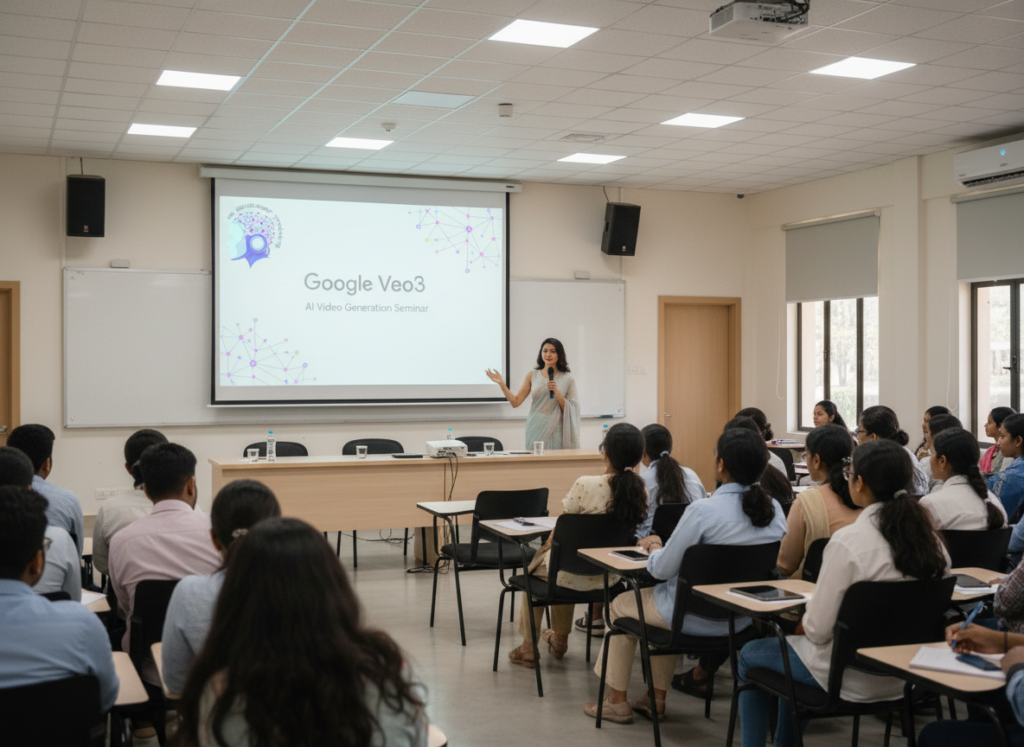
“Google Veo 3” (and its updated version, Veo 3.1) is Google DeepMind’s advanced family of AI models designed for generating high-quality, cinematic video clips from natural language or image prompts. It is often discussed in tech blogs for its ability to produce realistic visuals, synchronized audio (dialogue, music, sound effects), and granular creative control features.
Here is a summary of key topics and insights commonly found in blogs about Google Veo 3:
Key Features and Capabilities
Blogs highlight several groundbreaking features that distinguish Veo 3 in the competitive AI video landscape:
- High-Resolution Output: Veo 3 can generate videos up to 4K resolution, making it suitable for professional use cases like advertising and presentations.
- Integrated Audio: A major feature of Veo 3 is its ability to generate context-aware, synchronized audio, including dialogue, ambient noise, and music, directly within the video output.
- Cinematic Controls: Users can employ specific cinematic terms in their prompts to control aspects like camera angles (dolly in, wide shot), lighting (golden hour), and overall mood.
- Consistency and Realism: The model demonstrates improved understanding of real-world physics, object permanence, and character consistency across frames, reducing “hallucinations” common in earlier models.
- Editing Features: Veo 3.1 introduced advanced editing controls through the “Flow” interface, allowing users to insert or remove objects in a generated video while maintaining scene consistency.
- Multi-Input Prompting: Users can upload reference images (e.g., for character consistency or specific styles) and use them in conjunction with text prompts to guide the AI’s output.
Common Use Cases
Blog posts and guides frequently mention how various professionals are leveraging Veo 3:
- Marketing and Advertising: Marketers can rapidly generate product commercials, social media ads, and seasonal promotions without expensive production costs.
- Filmmaking and Content Creation: Filmmakers use Veo for storyboarding, previsualization of scenes, and generating B-roll footage. YouTubers create intros, explainers, and engaging visual stories quickly.
- Education and Training: Educators use it to create custom animated graphics, historical reenactments, and visual explainers for complex subjects.
Where to Find Blogs and Official Information
Google does not have a single dedicated blog for Veo 3; announcements and technical details are spread across different Google platforms and third-party sites:
- Official Announcements: Major updates are announced on the Google Cloud Blog and the Google AI Studio pages.
- Tech and AI News Sites: Publications like CNET, Mashable, and Imagine.Art publish frequent comparisons and how-to guides.
- Developer Platforms: In-depth technical guides for developers using the Veo API can be found in the Vertex AI documentation.
Access
Veo 3 is available through the Google AI Pro subscription plan and integrated into various partner platforms like Imagine.Art and Leonardo.Ai, Google Flow, Aedobe Firefly.
AGENTIC AI
“Agentic AI” is a significant buzzword in technology and refers to AI systems that can operate autonomously to achieve complex goals with minimal human intervention. Instead of just responding to prompts like traditional generative AI, agentic systems perceive their environment, reason, plan multi-step actions, and learn from outcomes.
Here are key blogs and articles explaining agentic AI:
Foundational Explanations and Guides
These resources offer excellent starting points for understanding the core concepts, differences from other AI, and architecture of agentic systems:
- “What Is Agentic AI? The Next Era of Enterprise Automation” by Moveworks: This blog provides a comprehensive guide for businesses, covering the definition, benefits, how agentic AI builds on previous AI, core use cases, and the future outlook.
- “What is Agentic AI? Definition and differentiators” by Google Cloud: This article clearly defines agentic AI, highlights its key components (perception, reasoning, planning, action, and reflection), and provides examples across various industries.
- “Agentic AI Workflow: A Complete Guide to Getting Started” by Dataplatform: This guide explains how agentic workflows function, their key components, and distinguishes them from traditional automation, offering practical tips for implementation.
- “What Is Agentic AI? Examples and Applications” by Slack: This post uses relatable analogies (GPS vs. self-driving car) to explain the shift toward autonomy and details real-world applications within an enterprise context.
Technical and Implementation Blogs
The following resources provide more in-depth information about building and deploying agentic systems:
- “How I Built My First ‘Agentic AI’ (and Finally Understood What It Means)” on Medium: This personal account offers a practical perspective on building an agentic AI system, using an LLM like Google’s Gemini Pro as the “brain,” which helps clarify the technical implementation.
- “Agent Factory: Building your first AI agent with the tools to deliver real-world outcomes” on Microsoft Azure Blog: This blog provides guidance on the process of designing and deploying AI agents using relevant developer tools and best practices.
- “Agentic AI: Model Context Protocol, A2A, and automation’s future” by Dynatrace: This post discusses enabling agent-to-agent communication and the potential for a future where multiple AI agents collaborate seamlessly to tackle complex problems.
Industry Use Cases and Future Trends
The following blogs focus on practical applications and the transformative potential across sectors:
- “Top Real-World Use Cases for Agentic AI in 2025” by Biz4Group: This article explores numerous examples in finance, healthcare, customer service, and more, showing where agentic AI is already delivering measurable ROI.
- “Agentic AI: The Next Evolution of Enterprise AI” by Moveworks: This blog examines how agentic AI reshapes organizational workflows and explores the potential impact on specific roles within IT and HR departments.
- “Agentic AI vs Generative AI: Key Differences, Use Cases, & Future Outlook” by Ashok IT: This post looks at the complementary nature of generative and agentic AI and how professionals can master both for future careers in data science.
These blogs provide a comprehensive overview of agentic AI, from foundational principles to advanced enterprise implementation strategies.